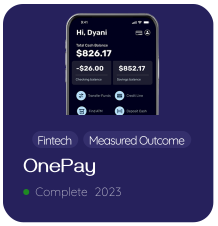
Process for OnePay
Summary:
Refine a UX known to be frustrating, starting with user research and ending with high-fidelity prototypes
Objectives:
- Approach the challenge with a user-centered design mindset
- Implement micro-interactions and animations to achieve a more intuitive design
- Evaluate the success of addressing user pain points and motivations
- Approach the challenge with a user-centered design mindset
- Implement micro-interactions and animations to achieve a more intuitive design
- Evaluate the success of addressing user pain points and motivations
The Original Design
Research
The Missed Opprtunities
1. Difficulty making credit line payments
Users struggled to quickly locate and complete credit line payments which increases the risk of missed or late payments.
2. Buried functionality of high-value features: recurring transfer
Important tools like scheduling recurring money transfers were buried, forcing users to search, create their own workaround, or abandon the task altogether.
3. No visibility into spending behavior
Users lacked insights into spending trends which makes it difficult to plan, adjust habits, or set and keep realistic spending and saving goals.
1. Difficulty making credit line payments
Users struggled to quickly locate and complete credit line payments which increases the risk of missed or late payments.
2. Buried functionality of high-value features: recurring transfer
Important tools like scheduling recurring money transfers were buried, forcing users to search, create their own workaround, or abandon the task altogether.
3. No visibility into spending behavior
Users lacked insights into spending trends which makes it difficult to plan, adjust habits, or set and keep realistic spending and saving goals.
Discovery
*Note: This research reflects my thinking at the time of this project. If I were to revisit this work today, I would refine them to be more data and behavior-driven.
The research findings indicate that a significant majority of users, approximately 80% of users, habitually seek data in familiar locations, such as the pie chart or homepage to identify trends.
The app's current navigation structure presents challenges due to concealed and inaccurately labeled sections. Within the initial 60 seconds of interaction, all five interviewees encountered difficulties locating specific tasks or areas.
The research findings indicate that a significant majority of users, approximately 80% of users, habitually seek data in familiar locations, such as the pie chart or homepage to identify trends.
The app's current navigation structure presents challenges due to concealed and inaccurately labeled sections. Within the initial 60 seconds of interaction, all five interviewees encountered difficulties locating specific tasks or areas.
See full research details hereWhat the Research Told Me
Within the first 60 seconds of interaction, users defaulted to their familiar behavior patterns and when their expectations were not met, task completion broke down, leaving some tasks never completed.
- Payments weren't discoverable. Users struggled to locate the credit line payments without trial and error.
- Recurring transfers felt hidden. Users didn't perceive this as a top feature.
- Spending insights were not available. All users looked for trends near the homepage or pie chart or search in transaction history.
Within the first 60 seconds of interaction, users defaulted to their familiar behavior patterns and when their expectations were not met, task completion broke down, leaving some tasks never completed.
- Payments weren't discoverable. Users struggled to locate the credit line payments without trial and error.
- Recurring transfers felt hidden. Users didn't perceive this as a top feature.
- Spending insights were not available. All users looked for trends near the homepage or pie chart or search in transaction history.
So..
How can we strategically integrate trend data and enhance navigational efficiency to address usability issues and enhance the overall user interface of the application?
Inside My Design Thinking
Sketches and Wireframes
These sketches show my internal design dialogue with all the questions, doubts, and pivots that shaped the final solution.
" I like the options on the homepage, but they are crowded. "
" This seems forced. What if I isolate the options and add the offers back? "
" How can I make this look better visually? What other graph types can I use? "
The sketches show my internal design dialogue with all the questions, doubts, and pivots that shaped the final solution.
Switch to desktop to see sketches and wireframes.
Final Outcome

Switch to desktop to see the prototype.
My Retrospective
This project highlighted how strongly users lean on familiar ways of thinking about money when using new or complex systems. The redesign solved a lot of the "Where do I find this?" problems, but also revealed opportunities to further explore different layouts and prioritization approaches before landing on a final version.
I'd expand usability testing to better understand why certain behaviors surfaced, such as confusion between savings accounts and actionable options. These moments weren't about missing features, they pointed to opportunities to make intent and intuitiveness clearer.
Ultimately, this project reinforced that financial tools, especially for those still building financial independence, are most effective when they reduce decision fatigue by matching the way users already think about money rather than forcing them to adapt to how a system is built.
This project showed how strongly users rely on familiar mental models when navigating financial tools. The redesign improved discoverability and revealed opportunities to refine layout, clarity, and intent through deeper usability testing. Ultimately, aligning the interface with users' natural ways of thinking proved key to reducing decision fatigue.